Gallery
A picture is worth atleast 10 lines of code. Here we present images which help illustrate the capabilities, structure, or intention of Pyatoa. Short captions help explain what each image represents.
Waveform Breakdown
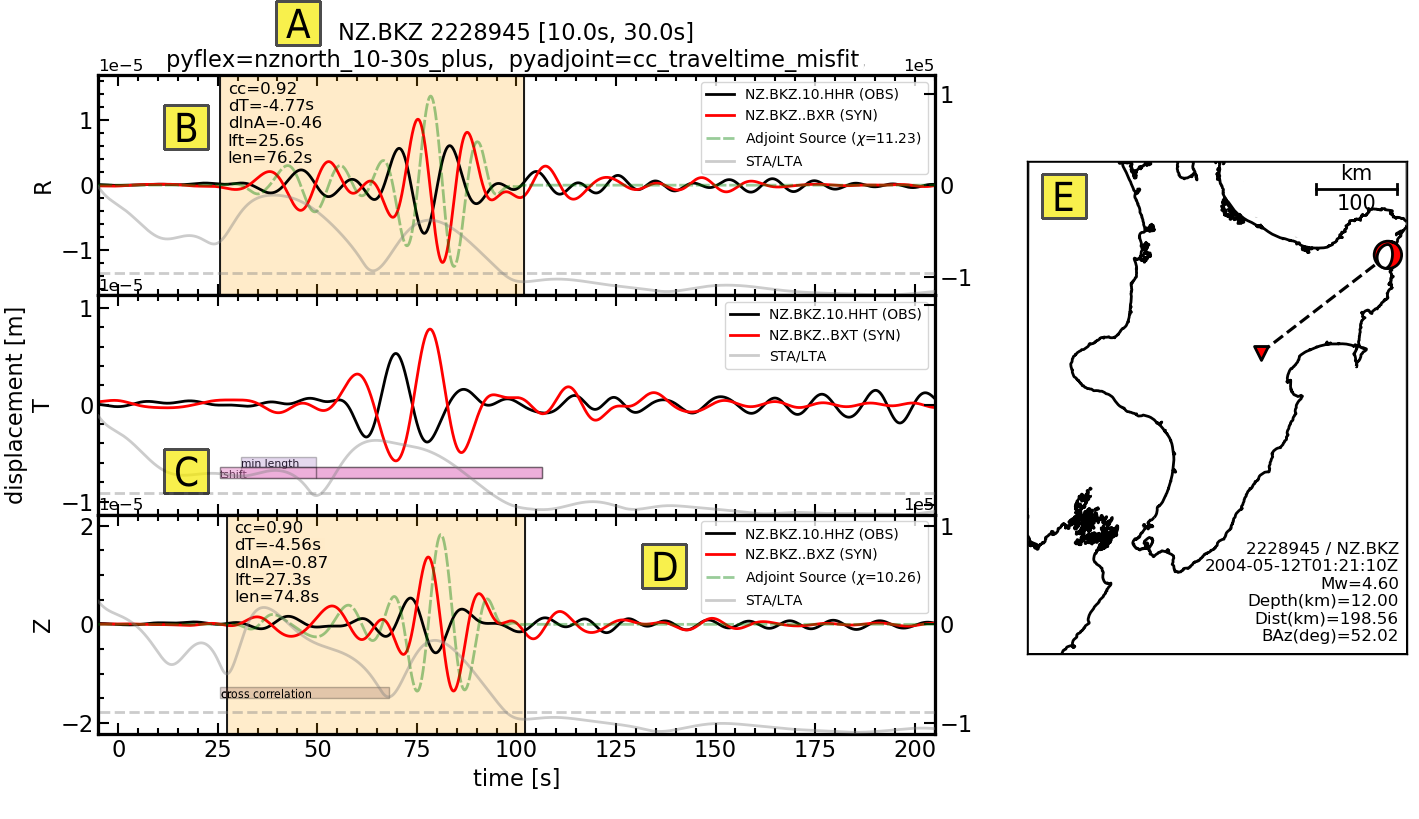
Misfit assessment for one source-receiver pair, generated using Pyatoa.
Waveform title with relevant information like processing parameters.
Time windows shown with measurement information.
Rejected time windows are shown as color-coded bars.
Legend provides component identification and total calculated misfit
Source-receiver map
Inspector Gallery
The following figures can be generated by the Inspector class, which facilitates analysis of inversion results generated using SeisFlows.
from pyatoa.scripts.load_example_data import load_example_inspector

insp = load_example_inspector()
Source-Receiver Metadata
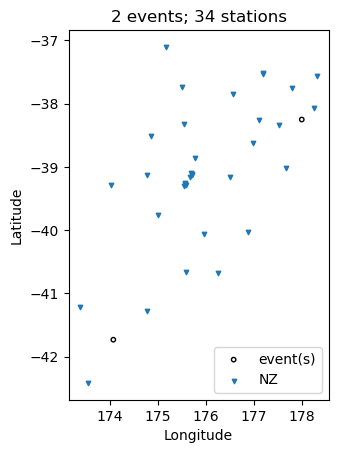
A very simple source-receiver scatter plot can be created with the
map function
insp.map(show=True, save=False)
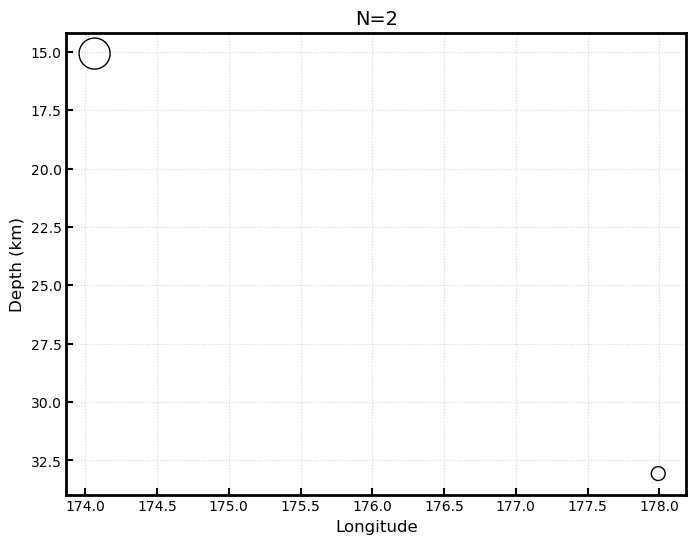
The event_depths functions plots a 2D cross section of all events at
depth
insp.event_depths(xaxis="longitude", show=True, save=False)
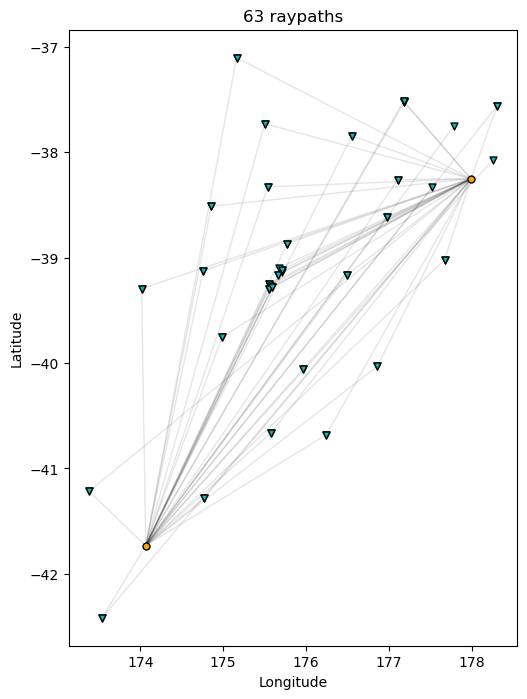
The raypaths function shows connecting lines for any source-receiver
pair that has atleast one measurement
insp.raypaths(iteration="i01", step_count="s00", show=True, save=False)
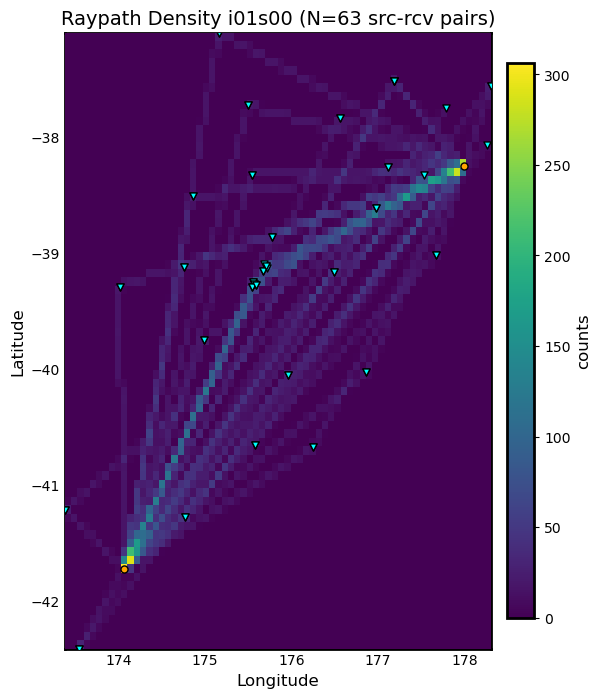
The raypath_density function provides a more detailed raypath plot,
which is colored by the density of overlapping raypaths
insp.raypath_density(iteration="i01", step_count="s00", show=True, save=False)
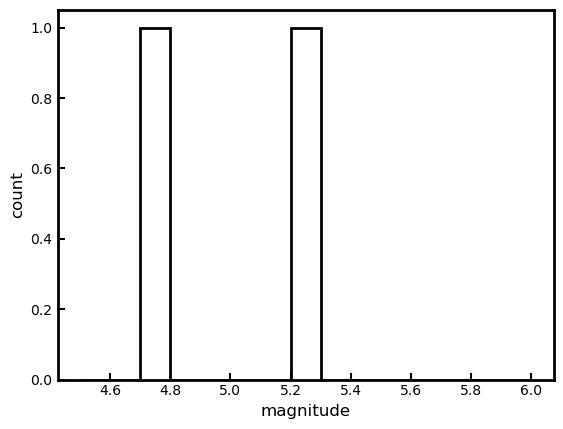
The event_hist function creates a simple event histogram based on
event information such as magnitude.
insp.event_hist(choice="magnitude", show=True, save=False)
Misfit Window Timing
The following plotting functions are concerned with visualizing the time dependent part of the measurements
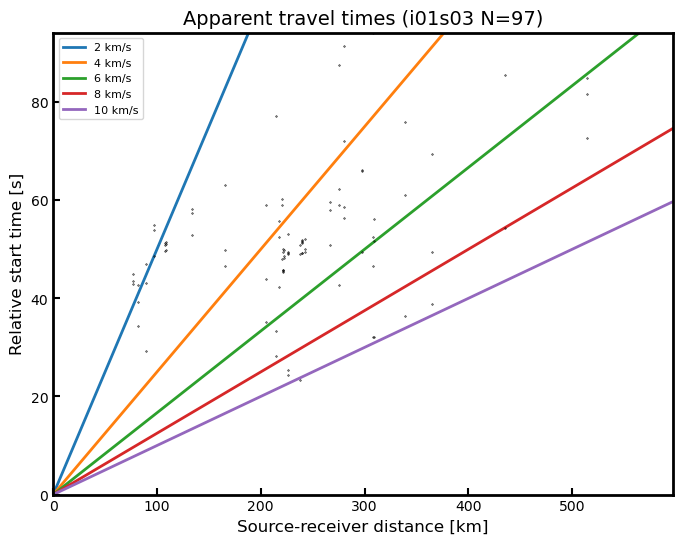
The travel_times function plots a proxy for phase arrivals, similar
to a seismic record section.
insp.travel_times(t_offset=-20, constants=[2, 4, 6, 8, 10], show=True, save=False)
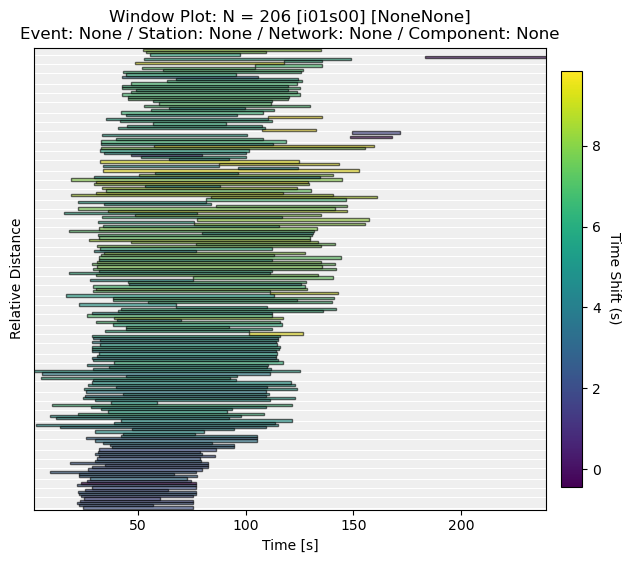
The plot_windows function plots time windows (as bars) against
source receiver distance, illustrating seismic phases included in the
inversion.
insp.plot_windows(iteration="i01", step_count="s00", show=True, save=False)
Inversion Statistics
The following plotting functions help the user understand how an inversion is progressing by comparing iterations against one another. These are common inversion statistics plots shown in many tomography publications.
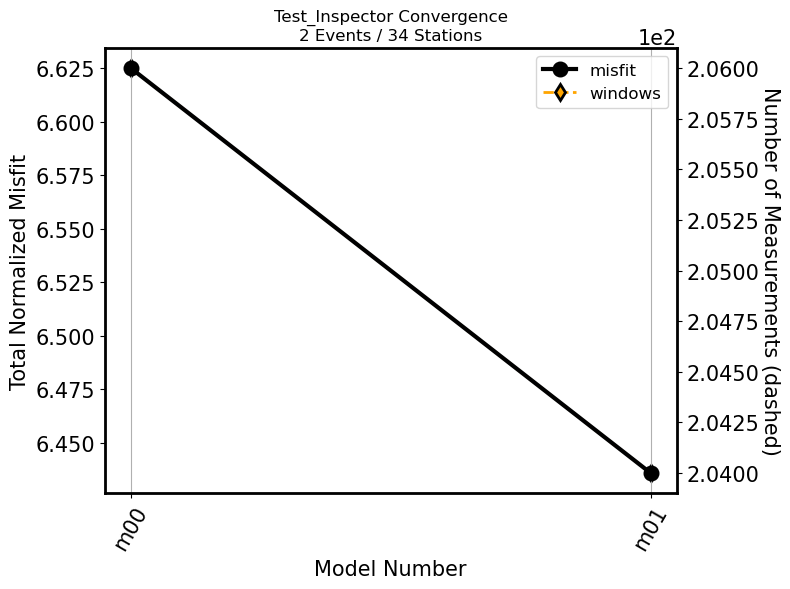
The convergence function plots total misfit per iteration over the
course of an inversion. An additional Y axis is used to plot the number
of windows for each iteration (or the overall length of the time
windows)
insp.convergence(windows="nwin", show=True, save=False)
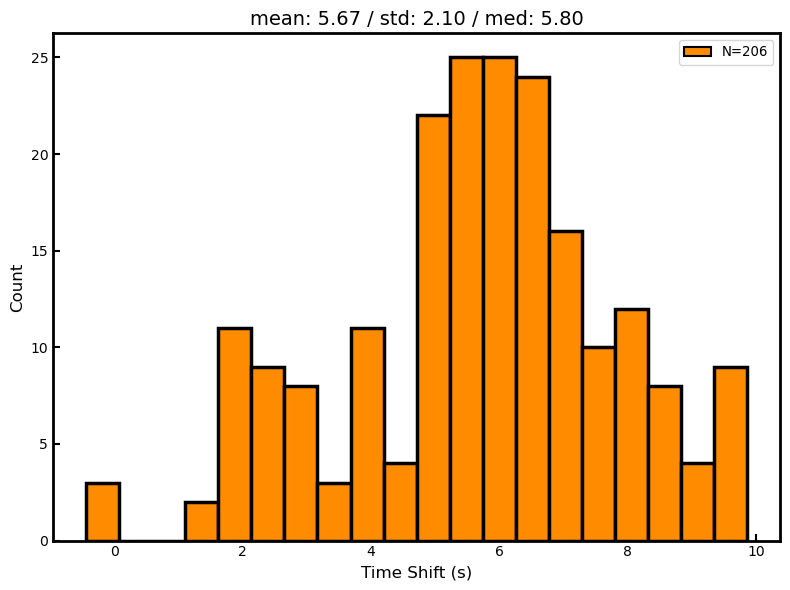
The hist function generates histograms for a given measurement
column, such as overall cross correlation or amplitude anomaly.
insp.hist(iteration="i01", step_count="s00", choice="cc_shift_in_seconds", show=True, save=False)
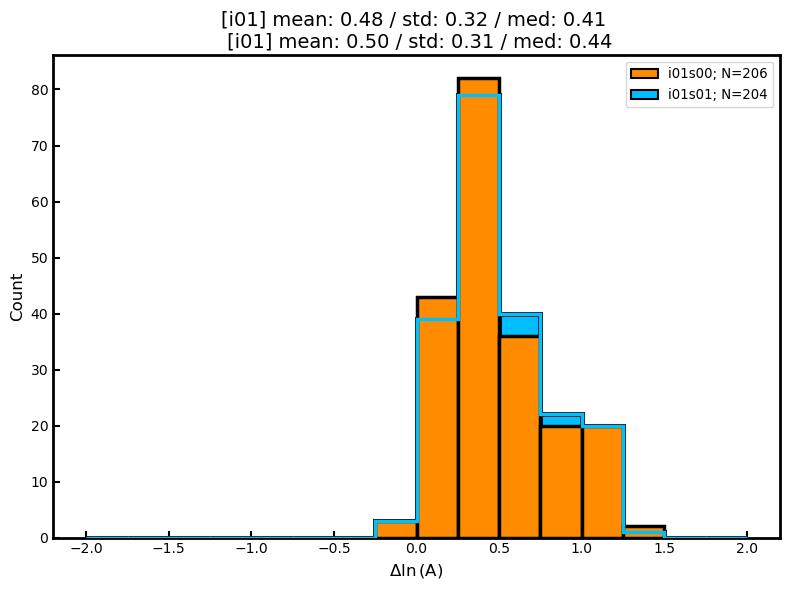
The hist function can also be used to generate two sets of
histograms that compare one iteration to another:
insp.hist(iteration="i01", step_count="s00",
          iteration_comp="i01", step_count_comp="s01",
          choice="dlnA", show=True, save=False)
Measurement Statistics
These plotting functions allow the user to plot measurements for a given evaluation in order to better understand the statistical distribution of measurements, or comparisons against one another.
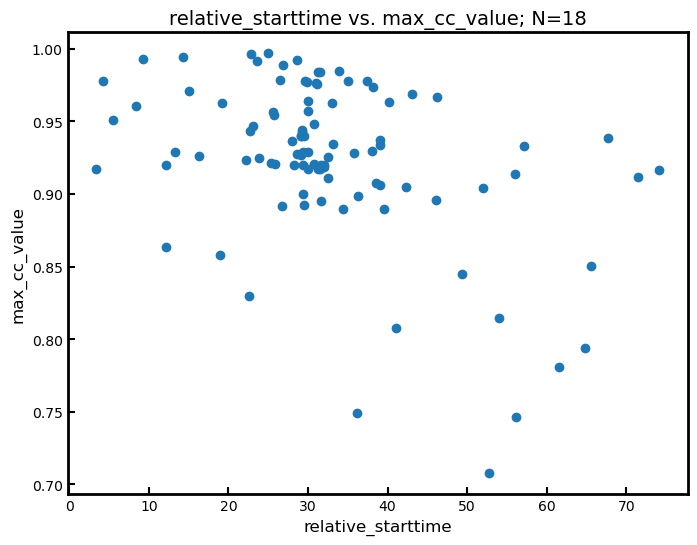
The scatter function compares any two attributes in the windows
dataframe
insp.scatter(x="relative_starttime", y="max_cc_value", show=True, save=False)
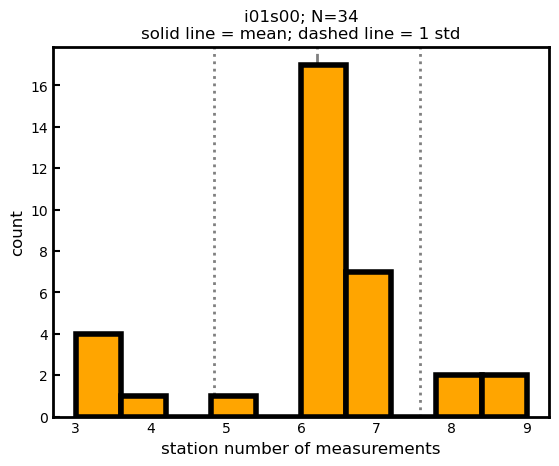
The measurement_hist function generates histograms of source or
receiver metadata. Useful for identifying events or stations which may
be outliers in terms of overall measurements.
insp.measurement_hist(iteration="i01", step_count="s00", choice="station", show=True, save=False)
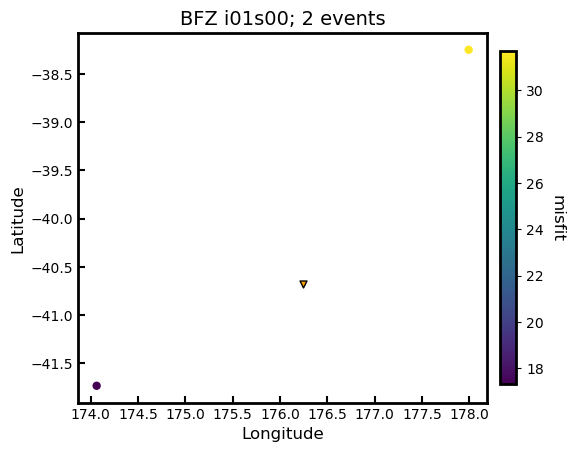
The station_event_misfit_map creates a map for a single station. All
other points correspond to events which the station has recorded. Colors
of these markers correspond to given measurement criteria.
insp.station_event_misfit_map(station="BFZ", iteration="i01", step_count="s00",
                              choice="misfit", show=True, save=False)
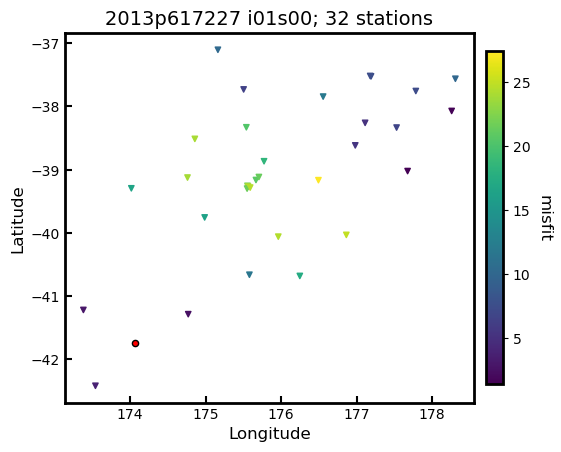
The station_event_misfit_map creates a map for a single event. All
other points correspond to stations which have recorded the event.
Colors of these markers correspond to given measurement criteria.
insp.event_station_misfit_map(event="2013p617227", iteration="i01",
                              step_count="s00", choice="misfit",
                              show=True, save=False)
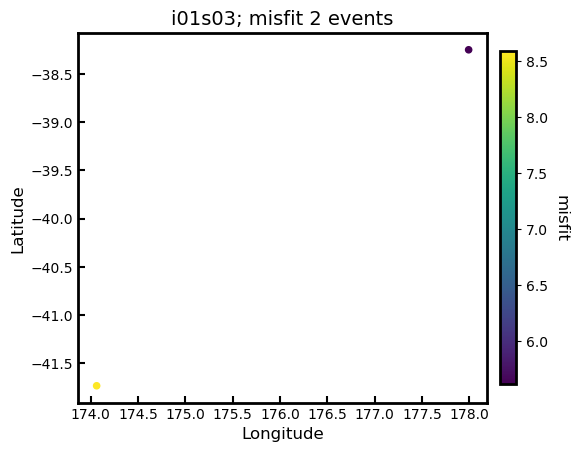
The event_misfit_map plots all events on a map and their
corresponding scaled misfit value for a given evaluation (defaults to
last evaluation in the Inspector).
insp.event_misfit_map(choice="misfit", show=True, save=False)